PKP-ICAA-WPF
Introduction
The PKP ICAA project is a train ticket booking and management application built using WPF and SQLite. This platform allows users to book train tickets, manage their profiles, and view recent trips.
- Users can book tickets between various cities with applicable discounts.
- All data is securely stored in a local SQLite database.
- The application provides a user-friendly interface for seamless navigation.
- Users can view their booking history and manage their profiles.
Features
- City-to-city ticket booking
- Discount management
- Booking history view
- User profile management
- Responsive design
Technologies Used
 C#
C# WPF
WPF SQLite
Demo
Checking Various Tabs Without Logging In
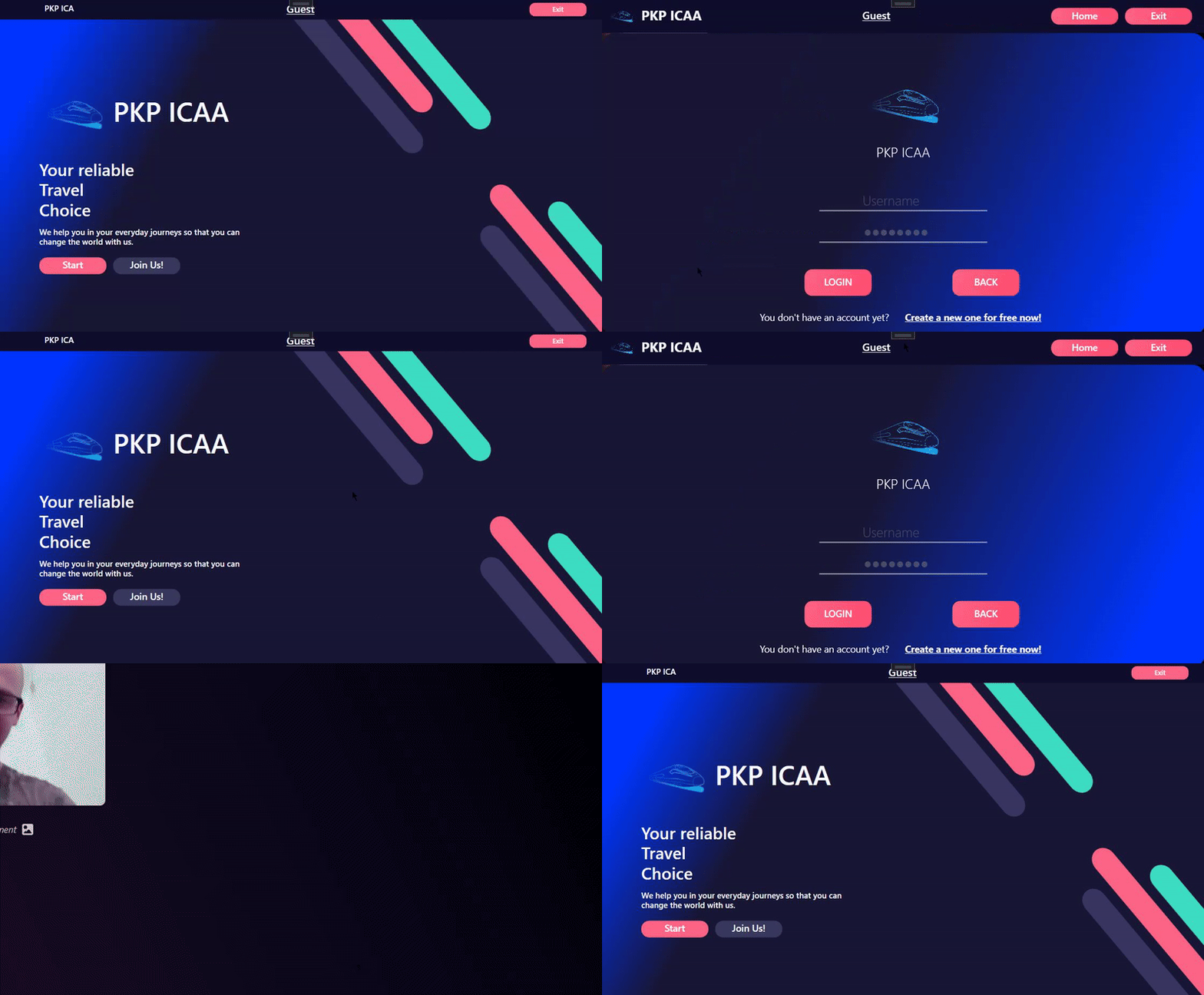
This gif demonstrates navigating through different tabs such as Home and User Profile without logging in. Clicking on these tabs redirects the user to the login form.
Registering a New User
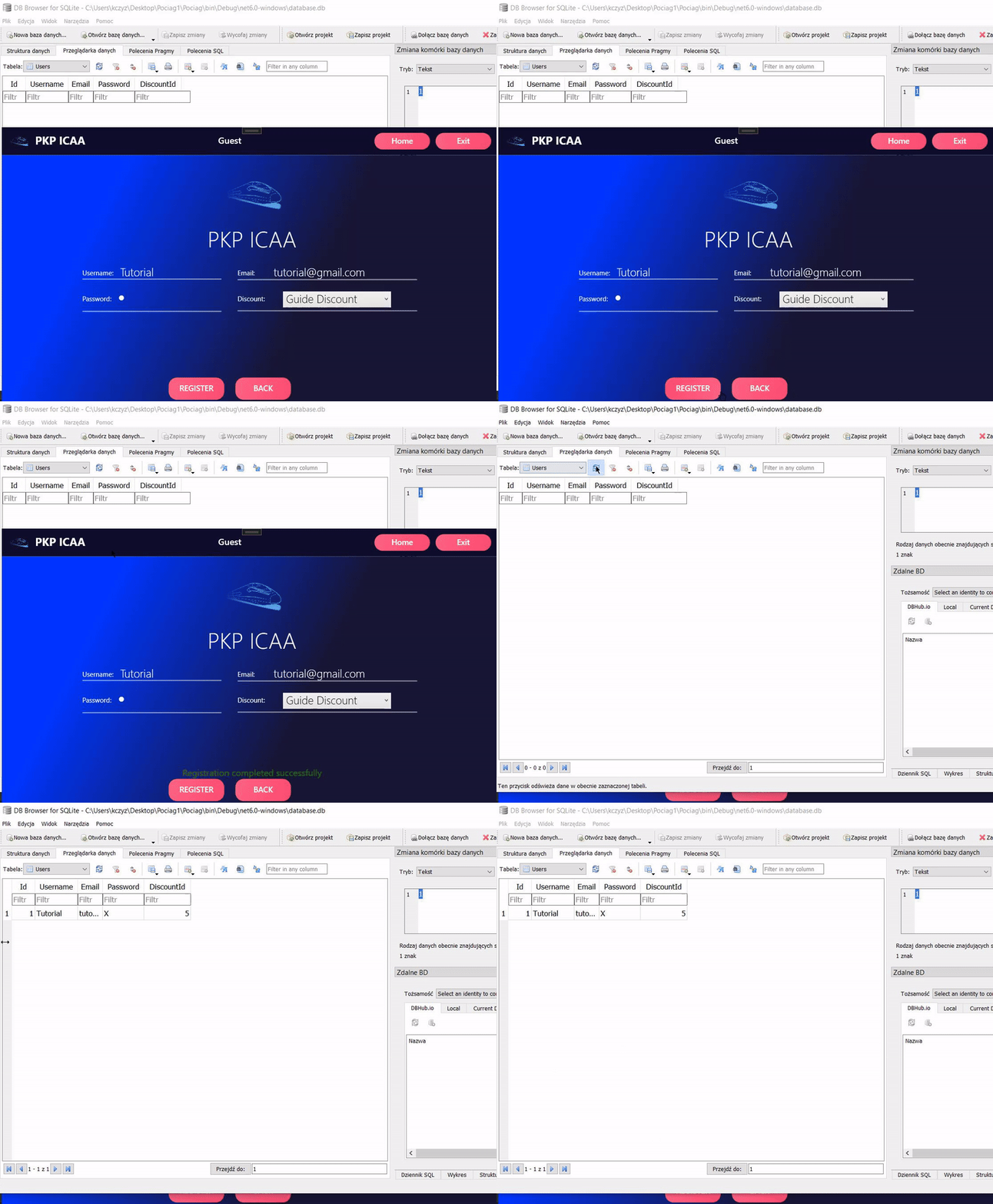
This gif shows the registration process where a user named "Tutorial" enters their username, email, password, selects a discount from the list, and adds a new record to the database.
Successful Login and Displaying User Profile
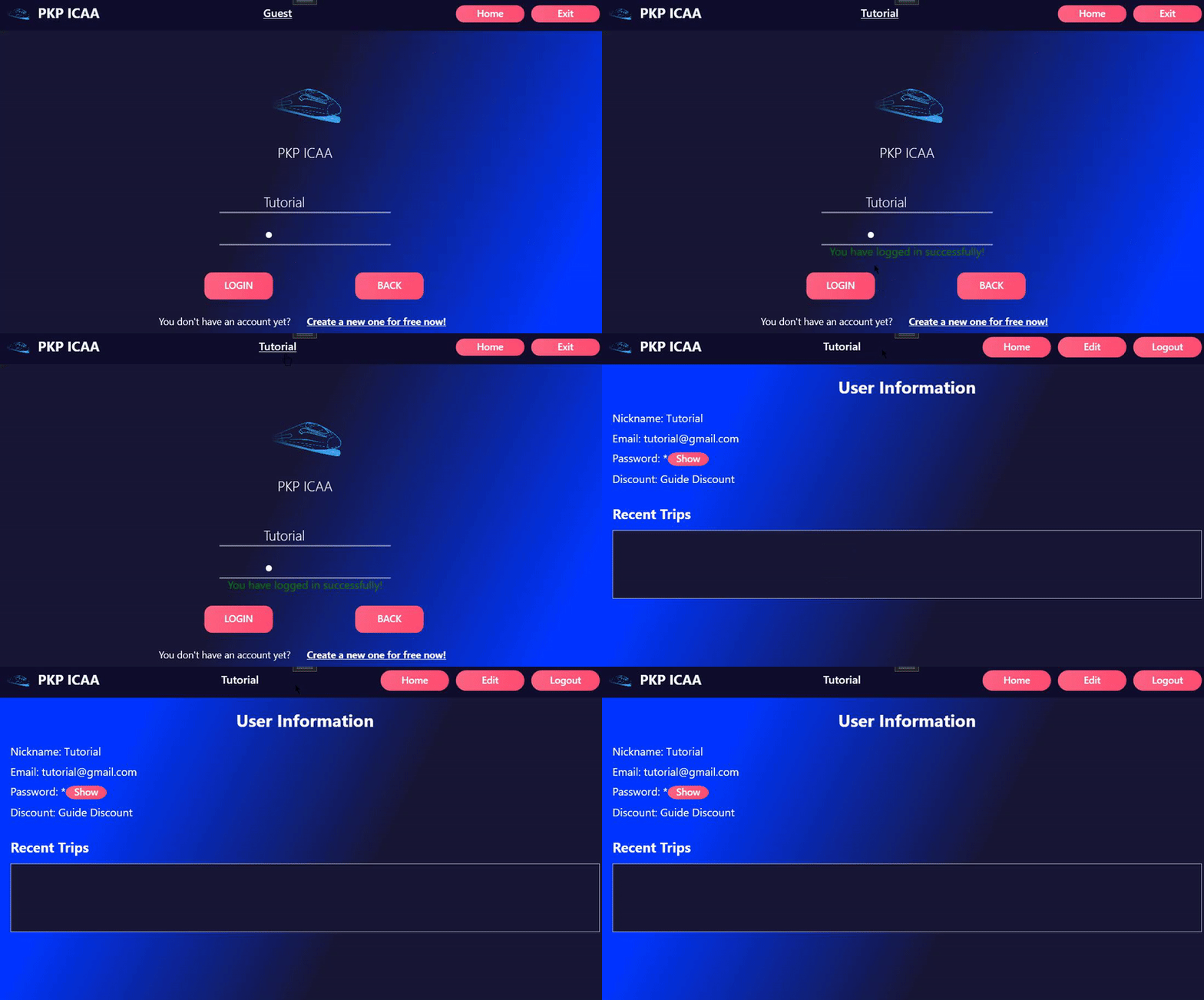
This gif shows a successful login where the session username changes from "user" to "Tutorial". The user profile is displayed, showing user information and an empty space for trips.
Creating a New Journey and Viewing Details
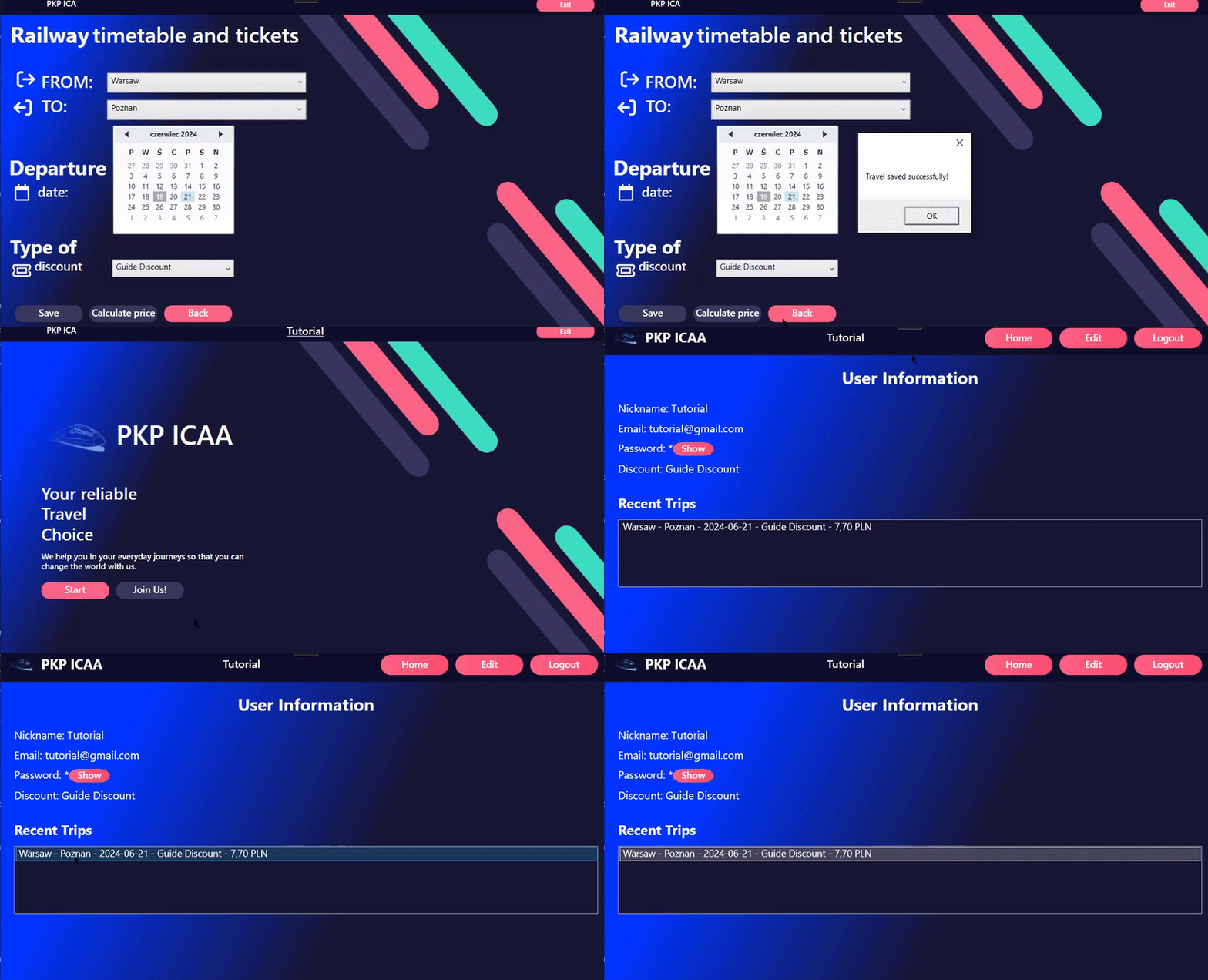
This gif demonstrates selecting two cities, a departure date, a discount, saving the trip, and then viewing the newly saved trip under "Recent Trips" in the user profile.
Editing User Profile
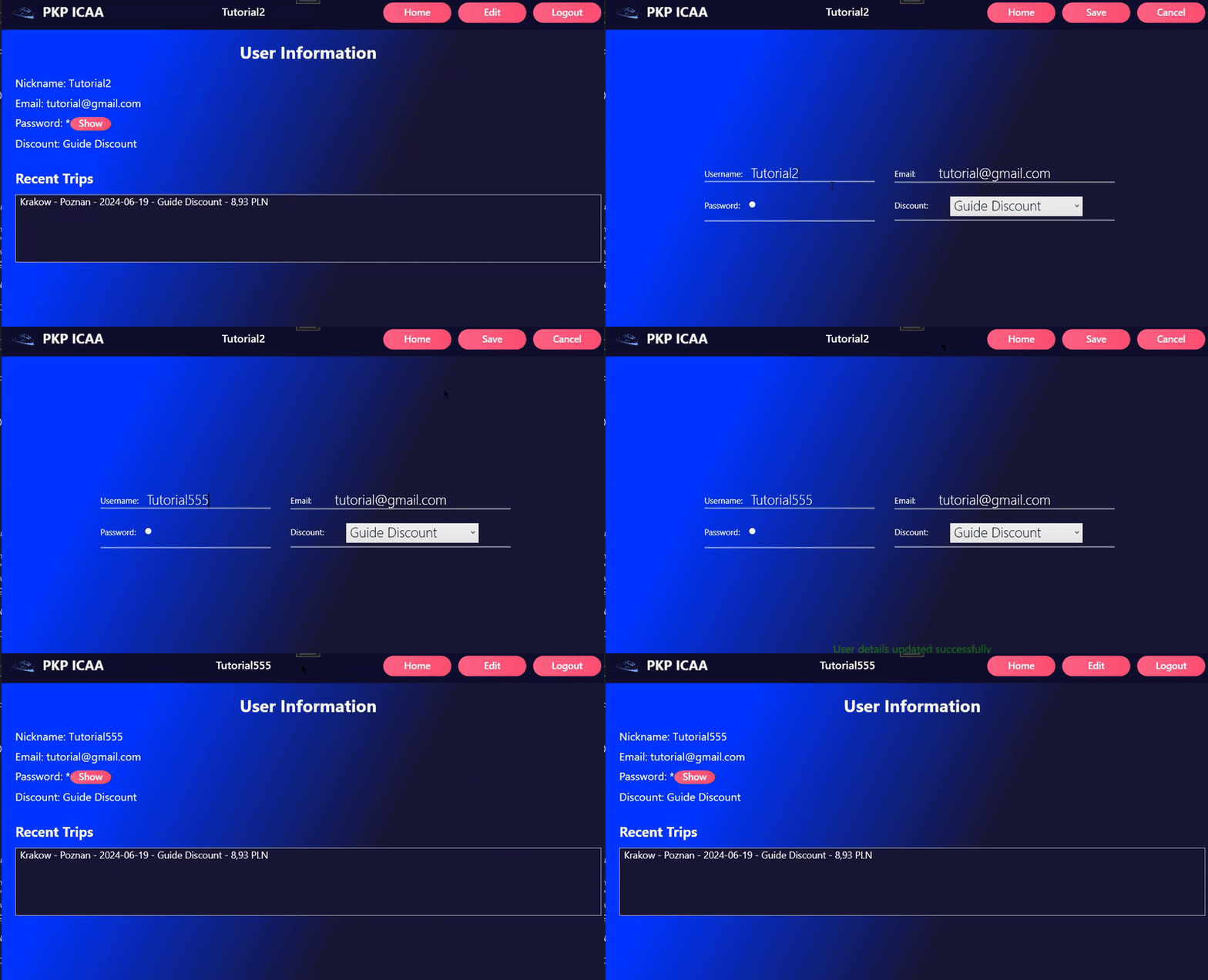
This gif shows the process of editing a user profile by changing the username from "Tutorial2" to "Tutorial555", and confirming that the username has been successfully updated.
Setup
To set up the project, you will need the following NuGet packages:
- SQLite
- Newtonsoft.Json
Follow these steps to set up the project:
- Clone the repository from GitHub.
- Install the required NuGet packages.
- Build the project using Visual Studio.
- Run the application and initialize the database by clicking the appropriate button on the main window.
Source Code
You can view the source code: HERE