GoodFoodMVC
Intro
The GoodFoodMVC project is a community-driven recipe sharing platform built on the ASP.NET MVC framework. This platform allows users to submit, share, and discover new recipes, fostering a vibrant culinary community.
- Users can submit their recipes, which are stored securely in a MongoDB database.
- The platform dynamically presents recipes in an engaging format, enhancing user experience and readability.
- Users can search for recipes by ingredients or recipe names, making it easy to find specific dishes.
- User profiles allow for personalization and interaction within the community.
Features
- Recipe submission
- MongoDB storage
- Dynamic content
- Ingredient search
- Recipe ratings
- Registration
- Responsive design
- Recipe list with images
- Image upload
- User authentication
- Recipe comments
Technologies Used
 C#
C# ASP.NET MVC
 MongoDB
 HTML/CSS/JavaScript
 Bootstrap
Demo
Security Check
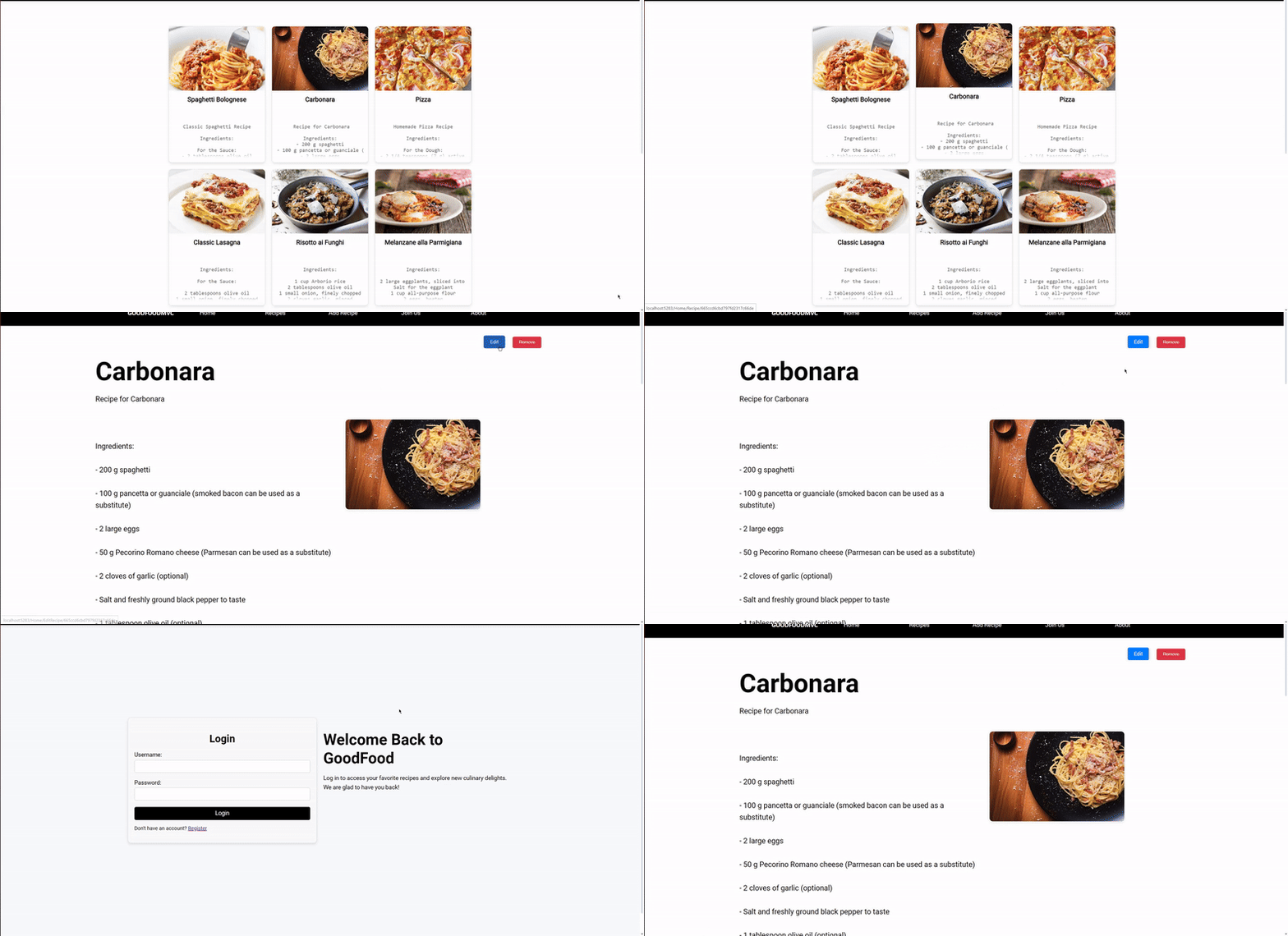
This demonstrates that users must log in to edit or delete recipes. When attempting to perform these actions without logging in, the user is redirected to the login page, ensuring that only authorized users can make changes.
Adding a New Recipe
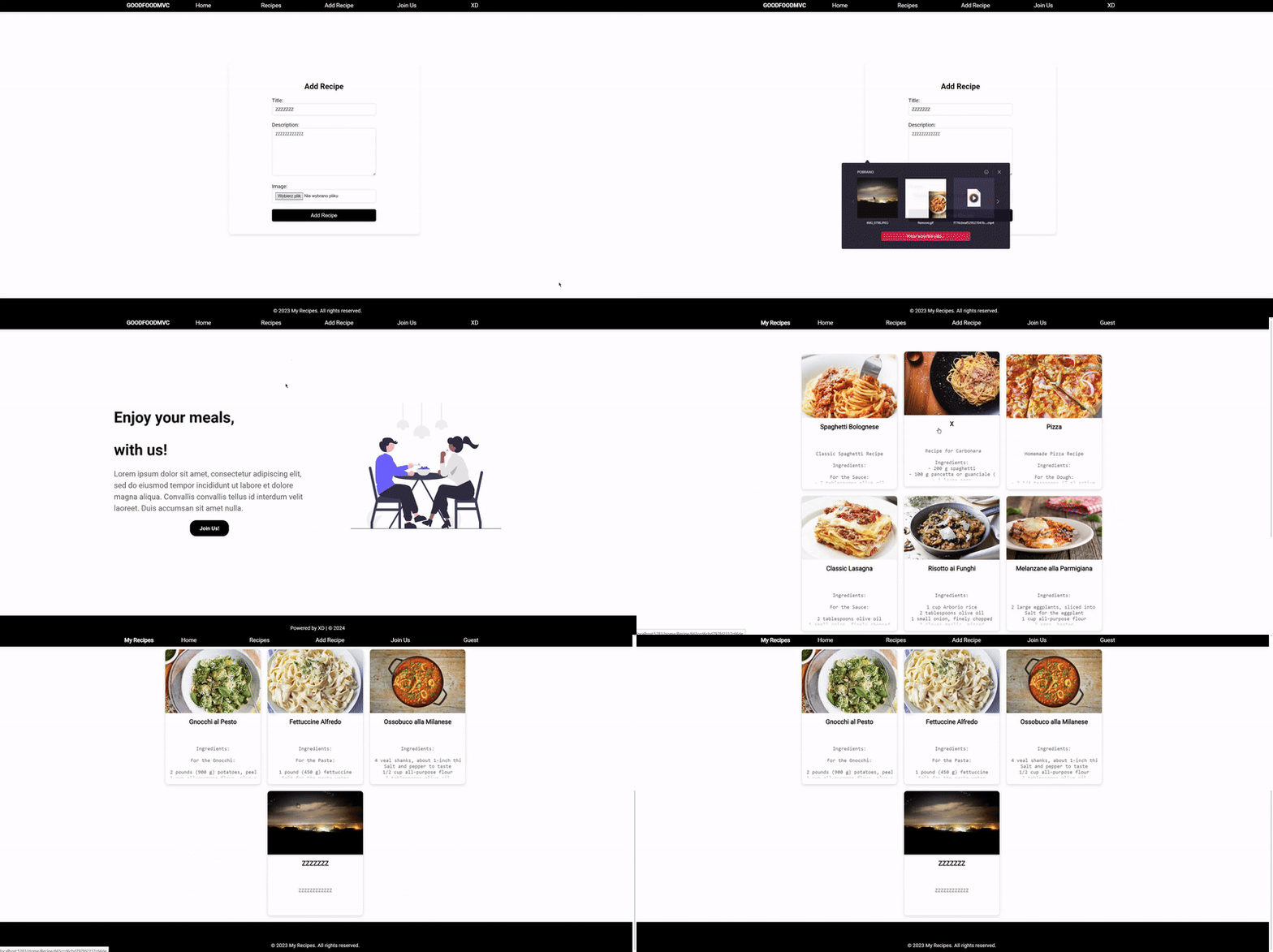
This illustrates the process of adding a new recipe after logging in. It shows the user logging into the application, navigating to the add recipe page, entering the recipe details, and successfully submitting the form. The session mechanism is used to maintain the logged-in state throughout the process.
User Registration
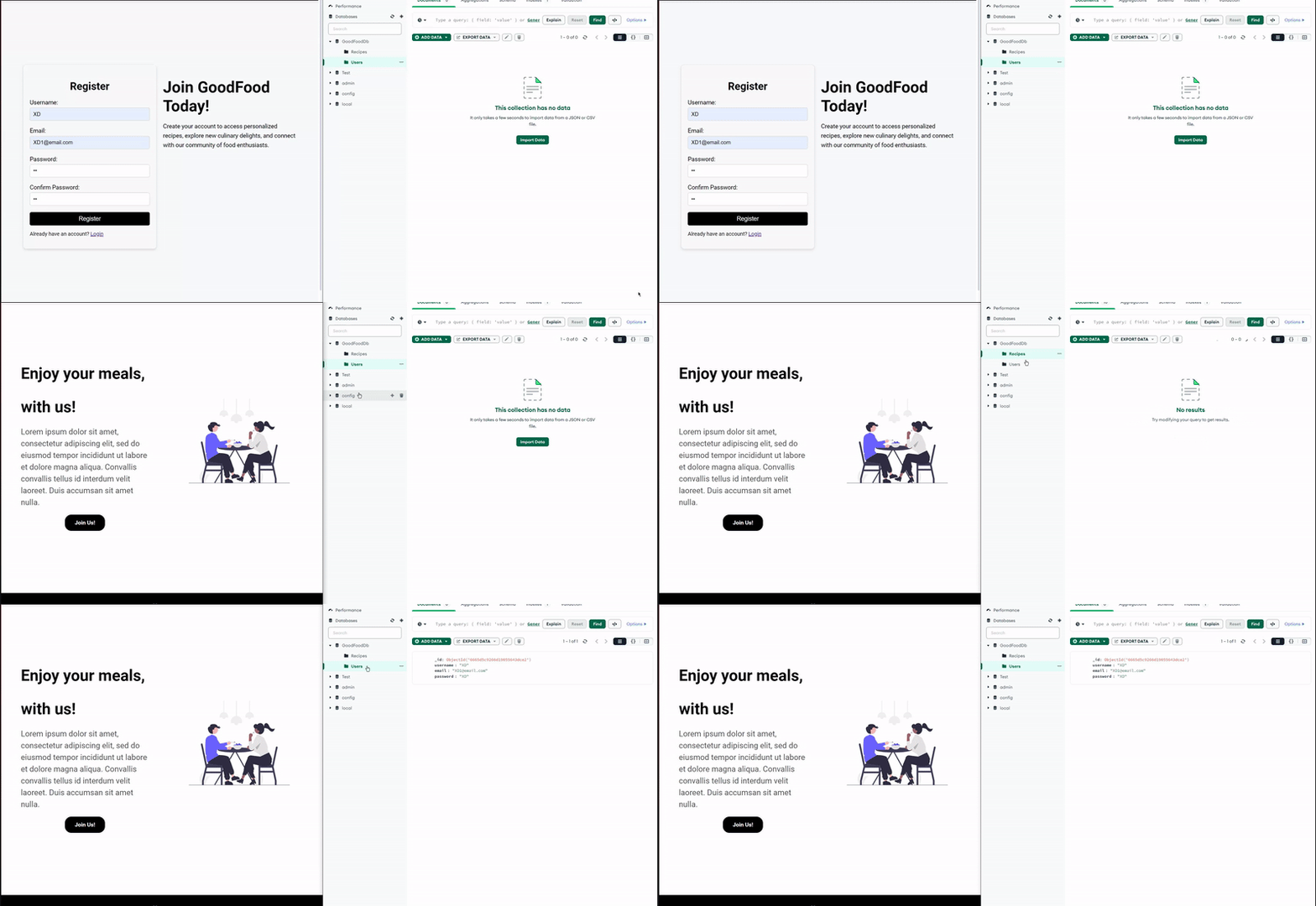
This demonstrates the process of registering a new user through the registration form. The user enters their details such as username, password, and email. Upon successful registration, the new user is added to the "Users" collection in the MongoDB database.
Editing a Recipe
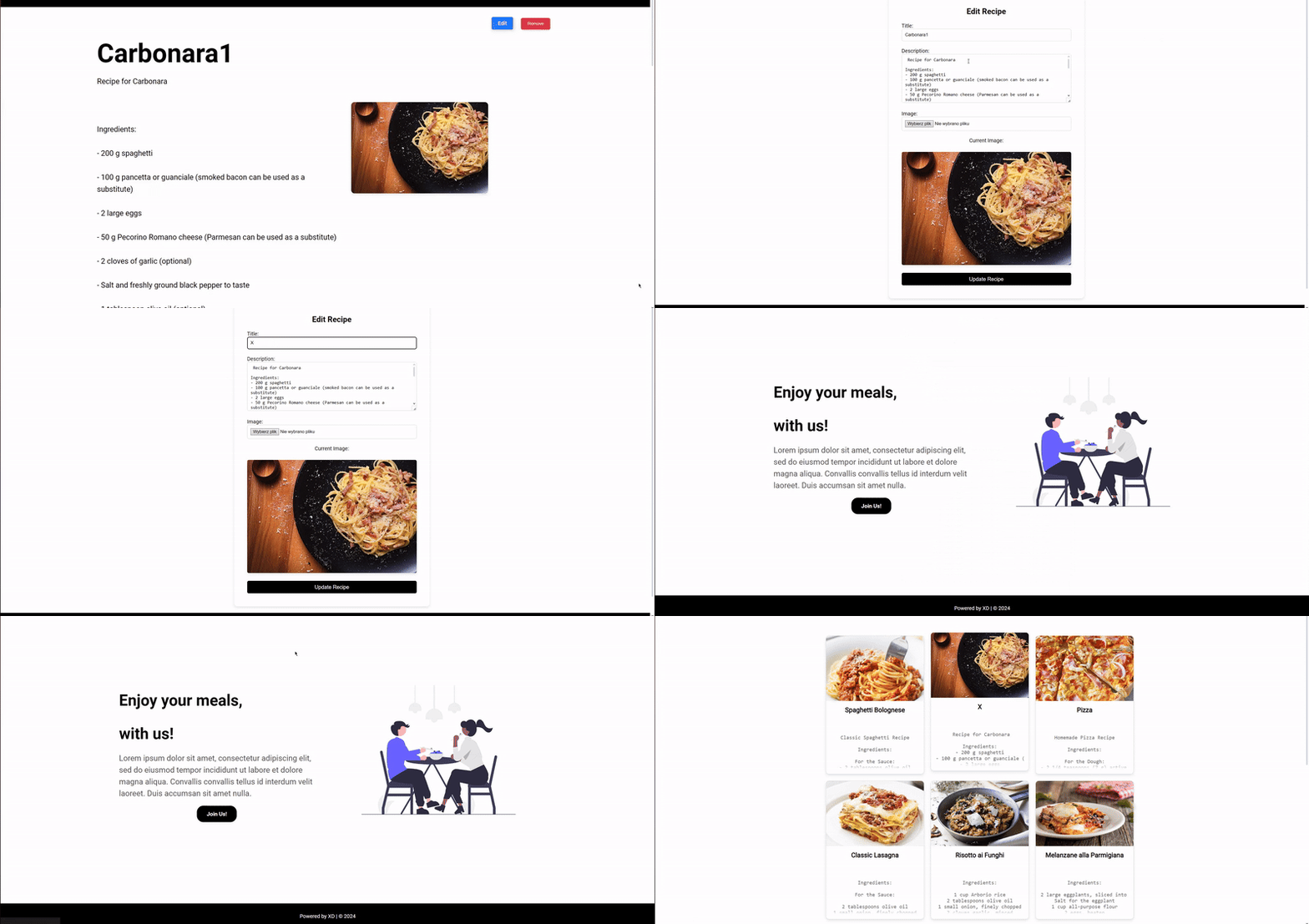
This shows the process of editing a recipe. The user logs in, selects a recipe to edit, changes the recipe's name from "Carbonara" to "x", and saves the changes. Editing recipes is only possible after logging in.
Removing a Recipe
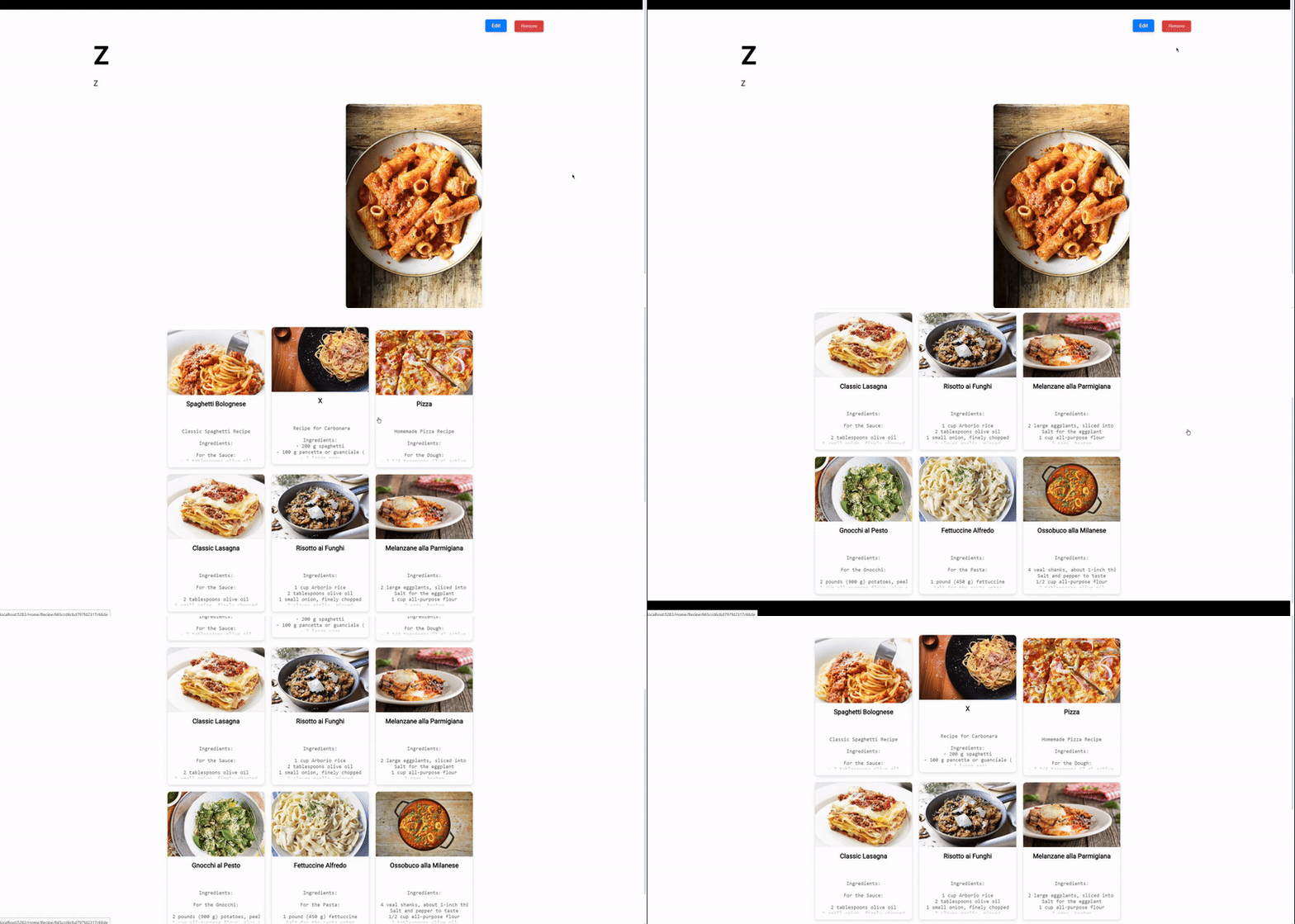
This demonstrates the process of removing a recipe. The user logs in, selects a recipe to remove, and confirms the deletion. The recipe is then successfully deleted from the database. Removing recipes is only allowed after logging in.
Setup
Required NuGet packages:
- MongoDB.Driver
- Microsoft.AspNet.Mvc
- Microsoft.Owin.Host.SystemWeb
- Microsoft.Owin.Security.Cookies
- Microsoft.Owin.Security.Google
- Microsoft.Owin
- Microsoft.Owin.Security
Source Code
View the source code: HERE